

YHP Blog
How to Link Instagram Posts to MLS Listings (Step-by-Step for Agents)
Social Media for Real Estate
To link Instagram posts to MLS listings, you need a real estate link-in-bio tool that connects your Instagram bio to a live, branded listing page with built-in lead capture. The setup takes about 15 minutes: claim your custom yhp.link, connect each Instagram post to a specific MLS listing, paste the link into your Instagram bio, and turn on DM automations so leads land in your pipeline 24/7.
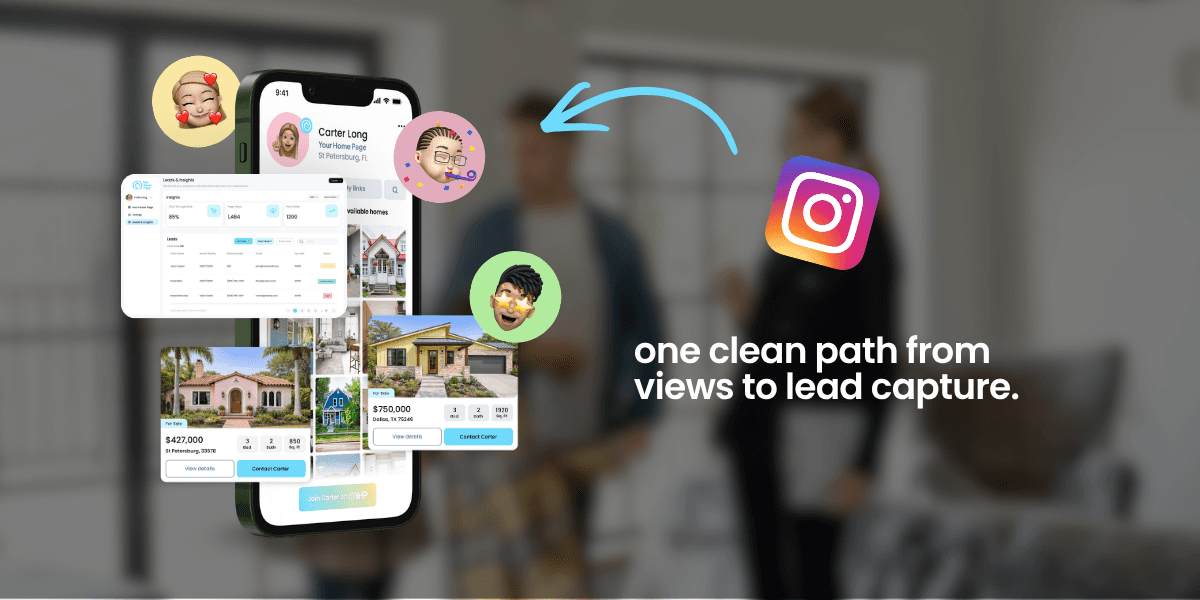
You posted a carousel of the new listing on 42nd. 821 views. 12 saves. Four comments saying "Is this still available?" You DMed them the Zillow link. Three went cold. One ghosted mid-conversation about a showing.
This is the broken Instagram-to-MLS loop almost every agent is running. Content lives on Instagram. Listings live on the MLS. No bridge between them. Leads fall through the cracks.
This post helps you fix that. It's a step-by-step guide for wiring Instagram posts directly to MLS listings using a social-to-MLS link tool, so every post you publish has a clean, trackable path from tap to inquiry.
What are the three pieces of an Instagram-to-MLS setup?
Three things need to be in place before the steps make sense:
A link-in-bio page that pulls your live MLS listings. Generic link-in-bio tools like Linktree don't do this. You need a real estate-specific tool. We'll use YHP (Your Home Page) because it's built specifically for this workflow.
An Instagram business or creator account. Bio links work best on those account types. If you're on personal, switch it in settings. Takes a minute. (Instagram's official guide here.)
A caption pattern that drives the tap. The post itself has to tell the viewer what to do. Without that, even a perfect tool loses the lead.
That's the stack. Now the steps.
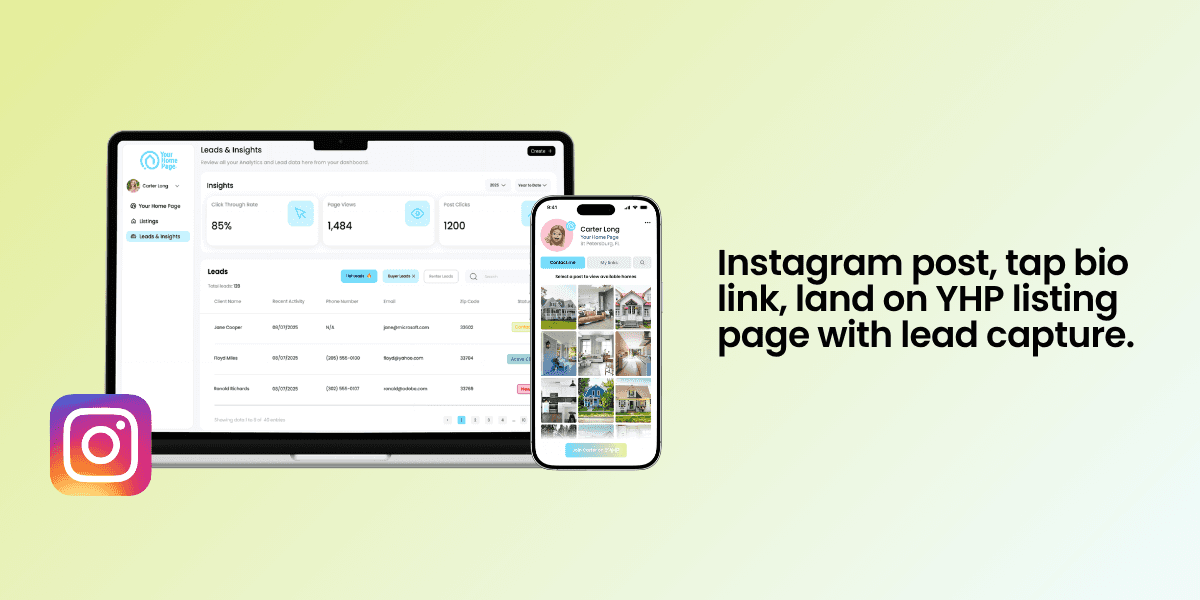
Step 1: Claim your MLS-connected link-in-bio page
To claim your custom yhp.link:
Sign up at yourhomepage.ai with a 14-day free trial.
Tap the Profile tab on your Your Home Page dashboard, then edit your profile to add your headshot, name, brokerage, license number, and contact info.
Connect your Instagram account.
Claim your custom yhp.link/yourname (or any tagline you want).
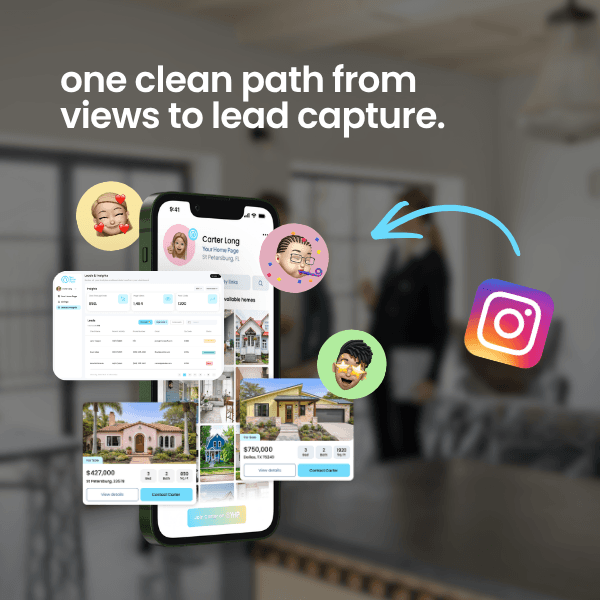
The page now functions as a mini property search site with your name next to every listing. Every listing has its own URL inside your brand.
Step 2: Connect your Instagram posts to MLS listings inside YHP
Open your Your Home Page dashboard:
On the right side of the dashboard, click the post you want to connect to a listing.
Add the MLS number or property address.
Click Continue.
Check your custom yhp.link update on the phone preview on the left side of your screen. Every connected post now routes to a real, live listing.
Step 3: Put your social-to-MLS link in your Instagram bio
Open Instagram on your phone:
Go to your profile and tap Edit Profile below your bio.
Paste your custom yhp.link URL into the Links field (Instagram now calls it "Links" instead of "Website").
Save. Tap your own link to test it. It should open your custom listing page on the first tap with no redirect flash.
While you're in there, rewrite your bio so it tells the viewer what's on the other side of the link. Something direct like: "Tampa Bay agent. Click my link to see available homes." One clear CTA. No emoji soup.
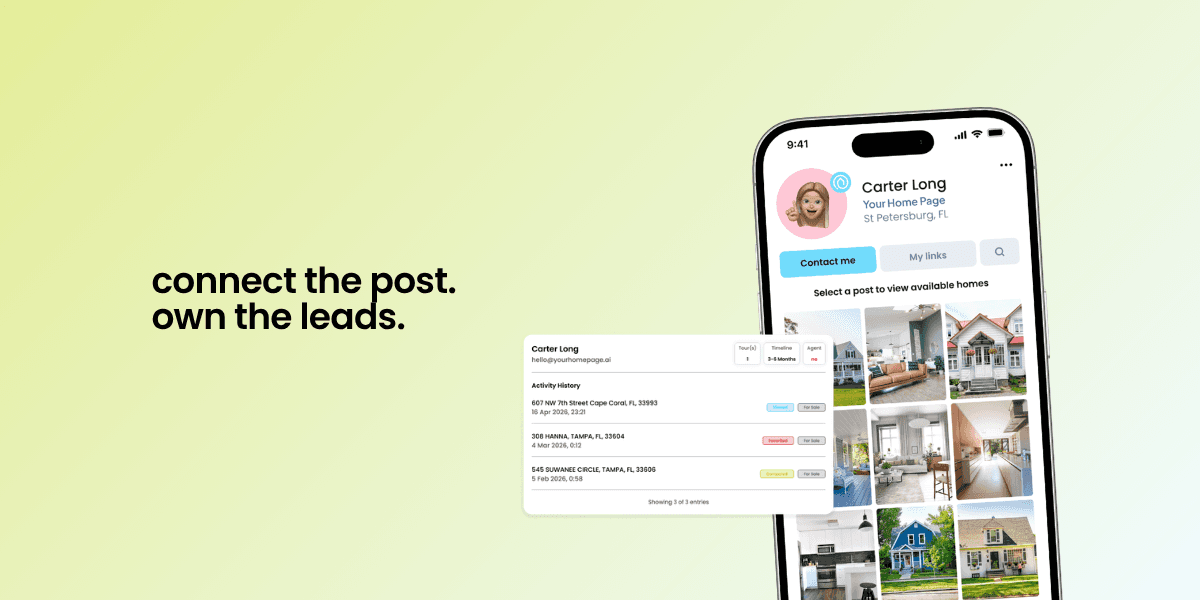
Step 4: Route the tap to the exact listing, not just the main page
Two approaches, both work:
Simple approach: point every caption at your custom yhp.link. When a viewer taps, they land on your home grid, see the posts connected to listings, and tap the one they want. This is great when you're showing off a specific area or multiple listings at once.
Higher-conversion approach: for your best-performing posts (the reels with 10K+ views, the carousels everyone's saving), turn on a DM automation that sends viewers straight to the specific listing. More on that in Step 6.
Step 5: Capture the lead on the listing page, not a form at the end
Generic link-in-bio tools ask the buyer to click a button, leave the platform, visit Zillow or your IDX site, and maybe fill out a contact form along the way. Most leads bounce before they get to the form.
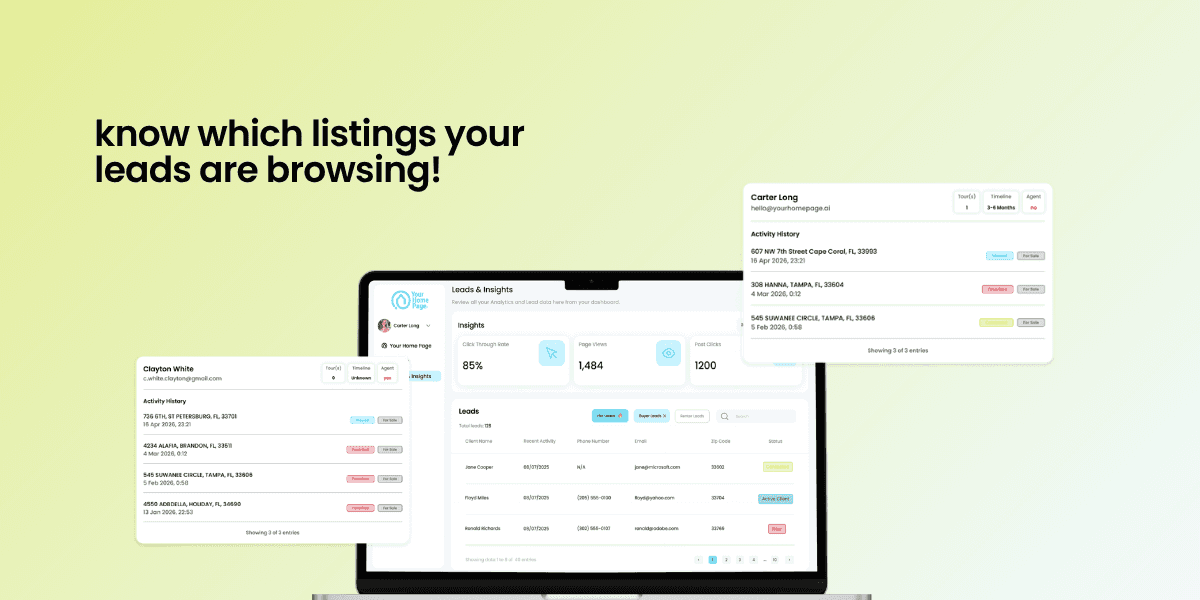
A real social-to-MLS link tool captures the lead inside the listing page itself. On Your Home Page, new users have to "Unlock Details" (warm lead capture) and can click "Contact Me" or "Schedule a Tour" (hot leads). These leads land straight in your Leads and Insights page.
This is how you go from views on Instagram to real leads in your pipeline.
Step 6: Connect DM automations
Save time and respond faster with DM automations. When someone comments a keyword on your video, YHP sends them your custom yhp.link or the exact listing page automatically. You capture leads 24/7 without being glued to your DMs.
Here's how to set DM automations up:
Go to your Automations dashboard in your Your Home Page portal.
Click Create in the top right corner.
Add your keyword, message, and button copy. Choose whether to link it to all listings or a specific one.
Click Go Live.
Pro tip: keep your keywords short and easy to type.
Two mistakes that break an Instagram-to-MLS setup
Mistake 1: Pointing the bio link at Zillow. You did the content work. You earned the view. Don't give the lead to the portal that will resell your hard-earned lead to another agent. The click you earned belongs in your pipeline, not theirs.
Mistake 2: Using a link that gives you no insights. Without insights, you can't prove which Instagram posts produced any real closings without manually going through each DM and matching them to your current CRM. You'll either overestimate or underestimate the channel, and both are expensive mistakes. Lead tracking and insights are non-negotiable.
What to do next
The fastest way to get an Instagram-to-MLS link flow live is to set up a real estate link-in-bio page that's already wired for it. Your Home Page does it in about 15 minutes total: sign up, connect Instagram, claim your yhp.link, paste it into your Instagram bio.
Start your free 14-day trial of YHP, the real estate link-in-bio tool built for this workflow. Your next post can be the first one that turns a view into an inquiry that lands in your pipeline, not somebody else's.
Want more on the Instagram-to-pipeline loop? Read why your Linktree is leaking leads and how to set up DM automations that close next.
Or follow @yourhomepage.ai on Instagram for more agent setups like this.
Frequently Asked Questions
Can you link directly to a single MLS listing from Instagram?
Yes. Use a real estate link-in-bio tool that gives every listing its own URL, then either swap that listing URL into your Instagram bio while the related post is hot, or use a DM automation to send viewers to that listing when they comment a keyword.
Will Linktree work for linking Instagram to MLS listings?
No. Linktree gives you a list of links, not live MLS listings, lead capture forms, or source tagging. You need a tool that pulls from your MLS and captures inquiries inside the listing page.
Do I need a business or creator Instagram account to use a link-in-bio?
Bio links work on any account type, but business and creator accounts give you analytics, contact buttons, and other features that help you measure what's working. Switch in settings if you're still on personal.
How long does it take to set up a real estate link-in-bio?
About 15 minutes total: claim your yhp.link, connect your Instagram posts to listings, paste the URL into your Instagram bio, and turn on a DM automation.
How do you capture leads from Instagram as a real estate agent?
To capture leads from Instagram, your bio link needs to go to a page you own with a lead capture form attached to each listing. A social-to-MLS link tool like YHP connects your Instagram bio to your live MLS listings and captures buyer inquiries directly into your CRM, so every view has a path to becoming a lead.
Social Media for Real Estate
How to Link Instagram Posts to MLS Listings (Step-by-Step for Agents)
The Instagram-to-MLS loop most agents are missing. Wire posts directly to your listings, capture the lead in your pipeline, and stop sending traffic to Zillow.
Agent Business Tips
Best Link-in-Bio Tools for Realtor Listings (2026 Comparison)
The best link-in-bio tool for realtors connects TikTok and Instagram posts straight to your listings and captures leads. Here's how the top 7 compare.
Real Estate Marketing
Top Social-to-MLS Link Tools for Instagram Agents (2026)
The best social-to-MLS link tools turn Instagram posts into listing inquiries. Compare the top 6 by MLS depth, lead capture, and 2026 must-have features.

Your Home Page
© 2025 All Rights Reserved